Softr vs Stackby: Which No-Code Tool Is Right for Your Team?
Softr vs Stackby: Compare these no-code app builder tools to find the best fit for your team's needs, features, and budget.
No-code tools aren’t a niche anymore. They’re how modern teams build and run operations.
In the last few years, no-code platforms have predominantly replaced a plethora of spreadsheets, in-house tools and small applications across startups and growing businesses. According to reports by platforms such as Gartner and Statista, by 2026, no-code and low-code technologies are projected to power more than 50% of all new business applications. That shift is already visible.
Many teams now do not just want to be able to store their data, but also want to organise it, automate it, visualize it and and turn it into something usable without waiting for the support of a developer.
This is where tools like Softr and Stackby are helpful for teams. This article will provide an overview of how each tool works, how they compare to one another, and who they are best suited for.
Introduction to Softr and Stackby
Softr and Stackby are both popular tools within the no-code ecosystem. While both tools have the same purpose of helping users turn data into something more useful (e.g., providing customers with portals, managing workflows internally, organizing projects), the way they accomplish this objective varies significantly from each other.
The starting point is often the same which is importing data from either a spreadsheet or database. However, users will often choose to utilize one tool over the other depending on whether they are looking for a more visually appealing frontend solution or a robust system to manage multiple sets of data for operational purposes.
“The no-code space has grown quickly, and tools like these are making it easier to move from raw data to working systems without relying on developers. But choosing between them depends less on features and more on how you plan to use them day to day.”
What is Softr?
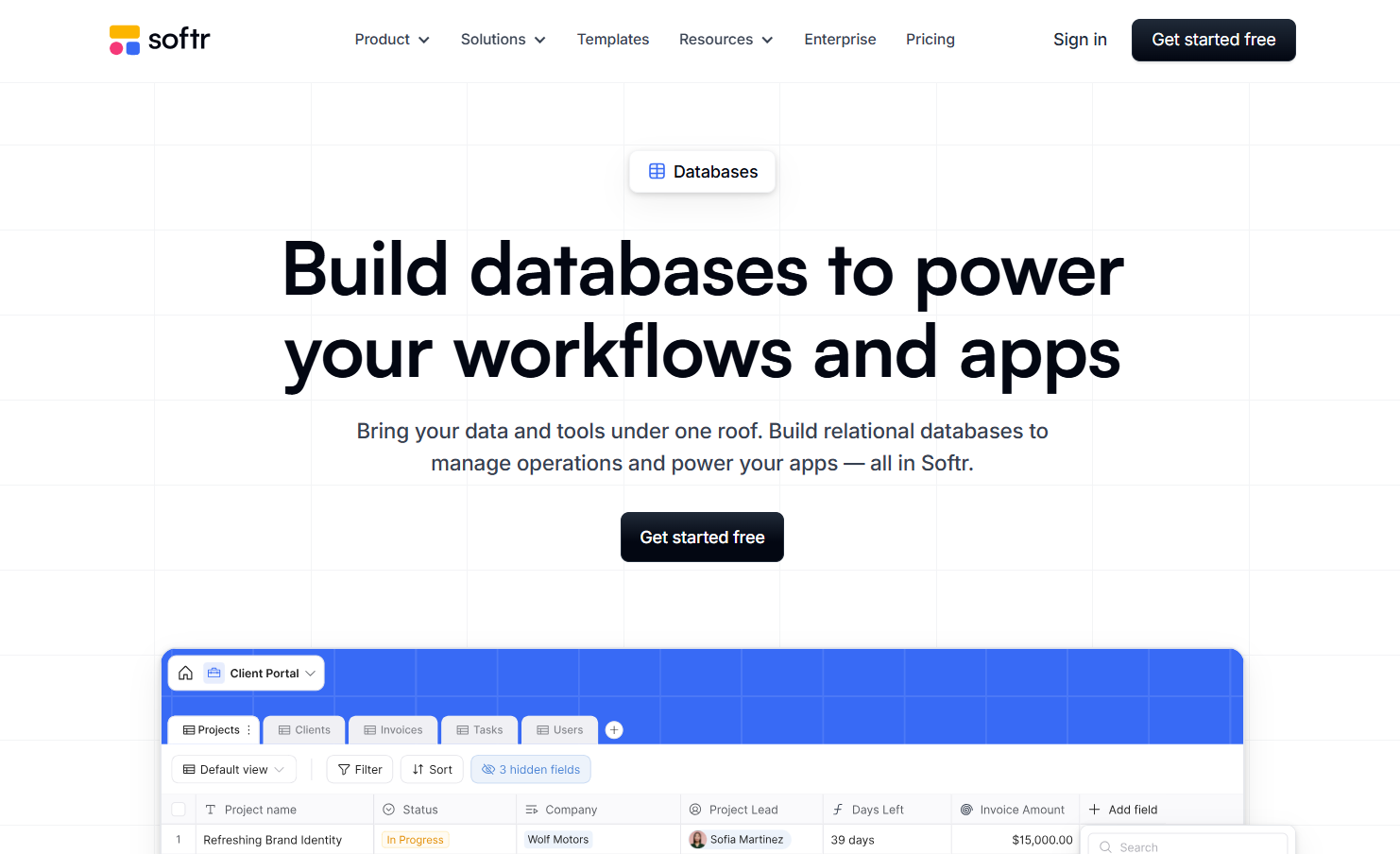
Softr is a no-code platform designed to turn existing data into user-facing applications. Instead of managing data itself, it focuses on building interfaces on top of sources like Airtable or Google Sheets.
In practical terms, it’s used to create things like client portals, internal tools, or simple web apps without writing code. You’re essentially taking structured data and giving it a clean, usable front end.
Key Features of Softr
Softr stands out for how quickly it lets teams build and launch applications on top of their data. It’s less about deep data management and more about how that data is presented and accessed.
- Drag-and-drop builder to create portals and web apps
- Connects with data sources like Notion, Airtable and Google Sheets
- Customizable views with filters, visibility controls, and layouts
- Workflow automation based on user actions and data changes
- Role-based access and permissions for controlled data access
- Built-in templates to speed up setup
Softr keeps things focused. Instead of trying to do everything, it helps teams take existing data and turn it into something usable for clients or internal users.
Use Cases for Softr
Softr is best understood as a front-end layer for your data. It takes structured data from tools like Airtable or Google Sheets and turns it into something people can actually interact with. That opens up far more use cases than basic dashboards.
Here’s where Softr really fits:
- Client portals with login-based access for sharing reports, deliverables, or updates
- Internal tools like HR dashboards, employee directories, or approval workflows
- Vendor or partner portals where external users can update records without touching the database
- Membership platforms with gated content, courses, or communities
- Marketplace or directory websites (job boards, listings, resource hubs)
- AI-powered tools where users input data and get structured outputs
- SaaS MVPs built on top of Airtable or Google Sheets
- Customer support portals with ticket tracking and status visibility
- Event platforms with registrations, attendee dashboards, and schedules
- Content libraries or knowledge bases with searchable access
Softr stands out in how it handles external interaction. It creates structured environments where users can log in, interact, and take action without exposing the backend.
What is Stackby?
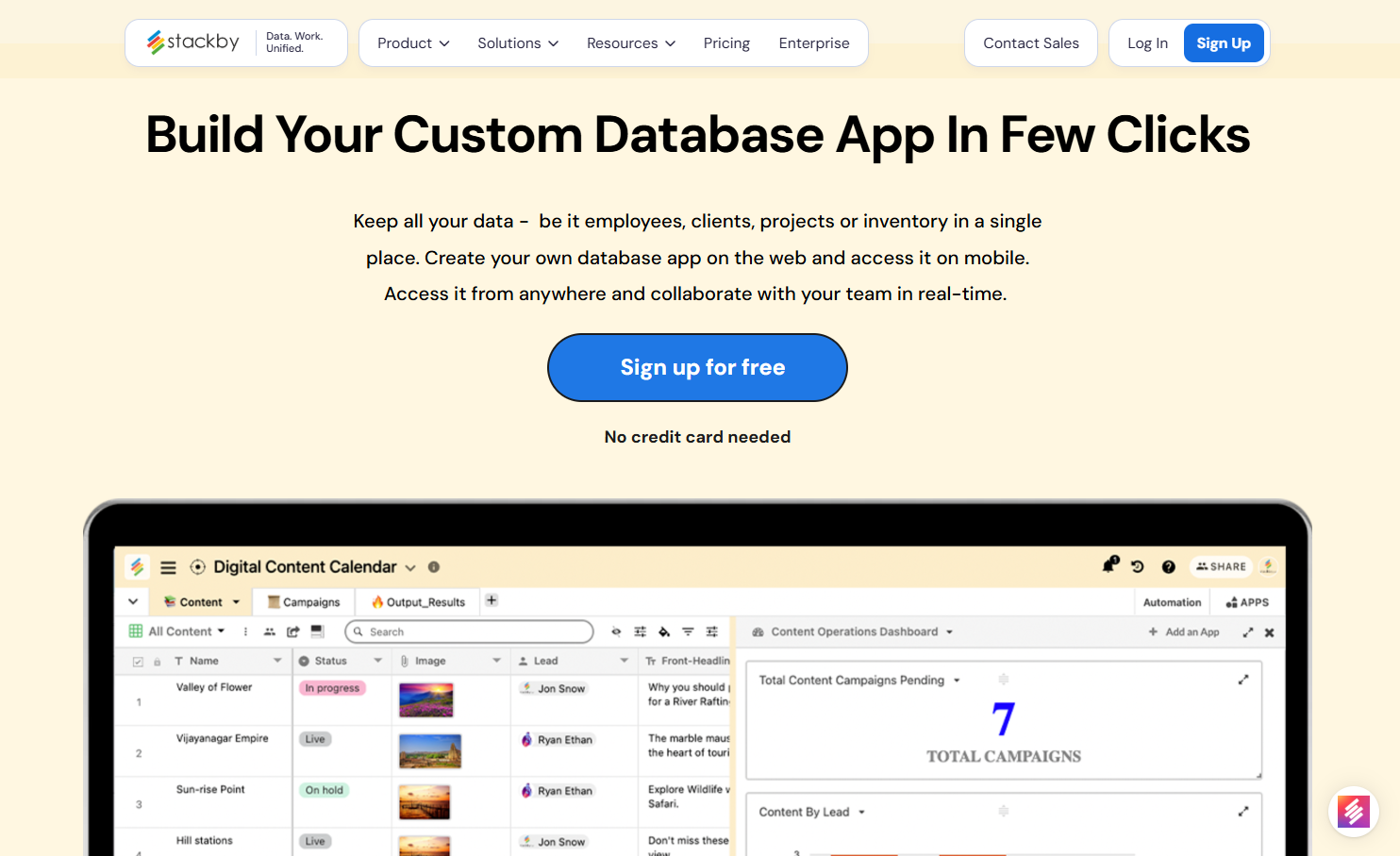
Stackby takes a different approach. Instead of sitting on top of data, it acts as the system where data lives, evolves, and gets used.
It combines the familiarity of spreadsheets with the structure of a database, along with built-in automation, integrations, and AI capabilities. The focus is on managing workflows, not just displaying them.
Key Features of Stackby
Stackby is built for teams that want to centralize data, automate processes, and connect different tools without switching platforms.
- Relational database with linked records, formulas, and multiple data types
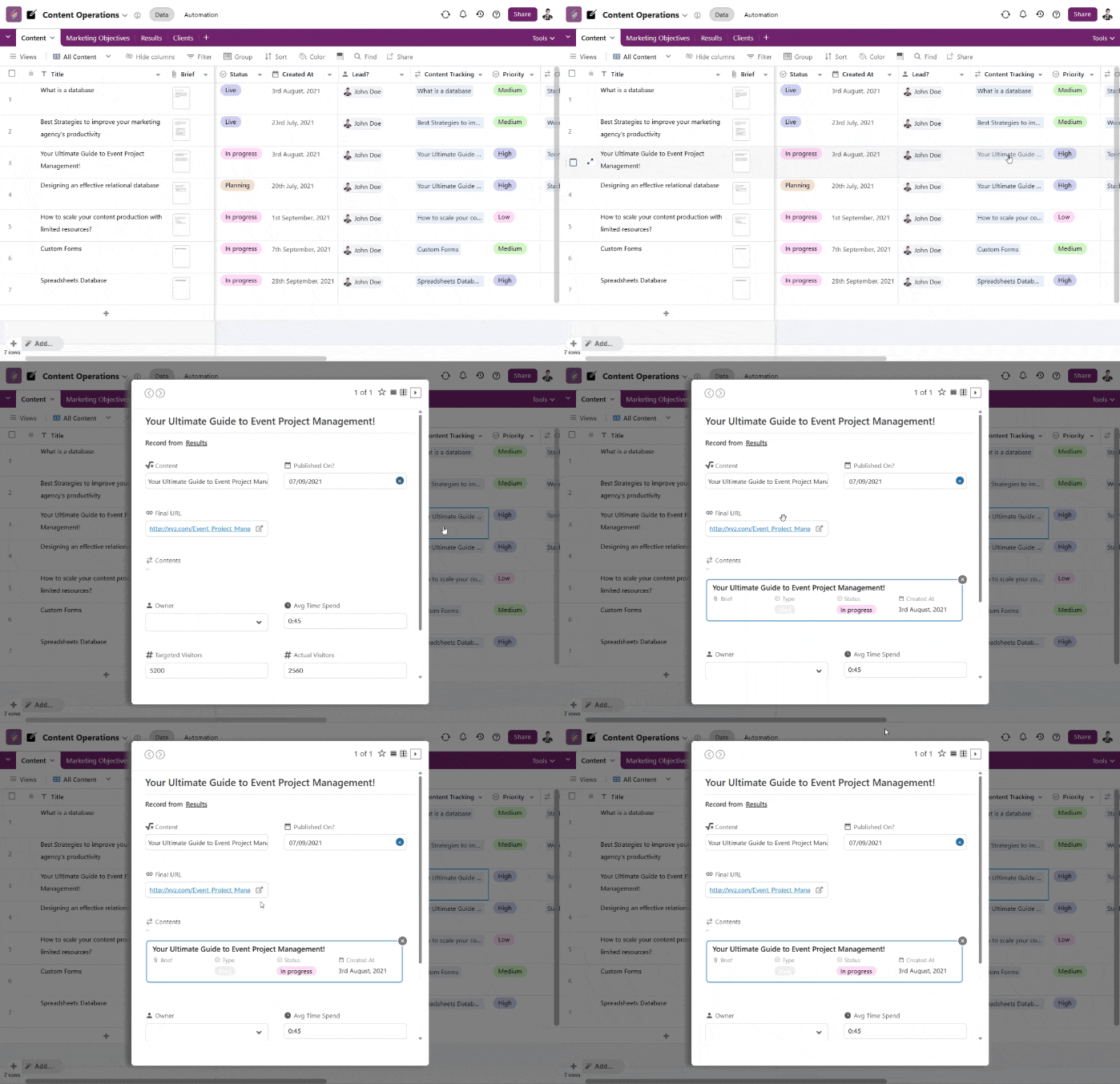
- Native API connector columns to pull live data from tools like Google Analytics, YouTube, and more
- AI fields and AI co-builder to generate, enrich, and structure data
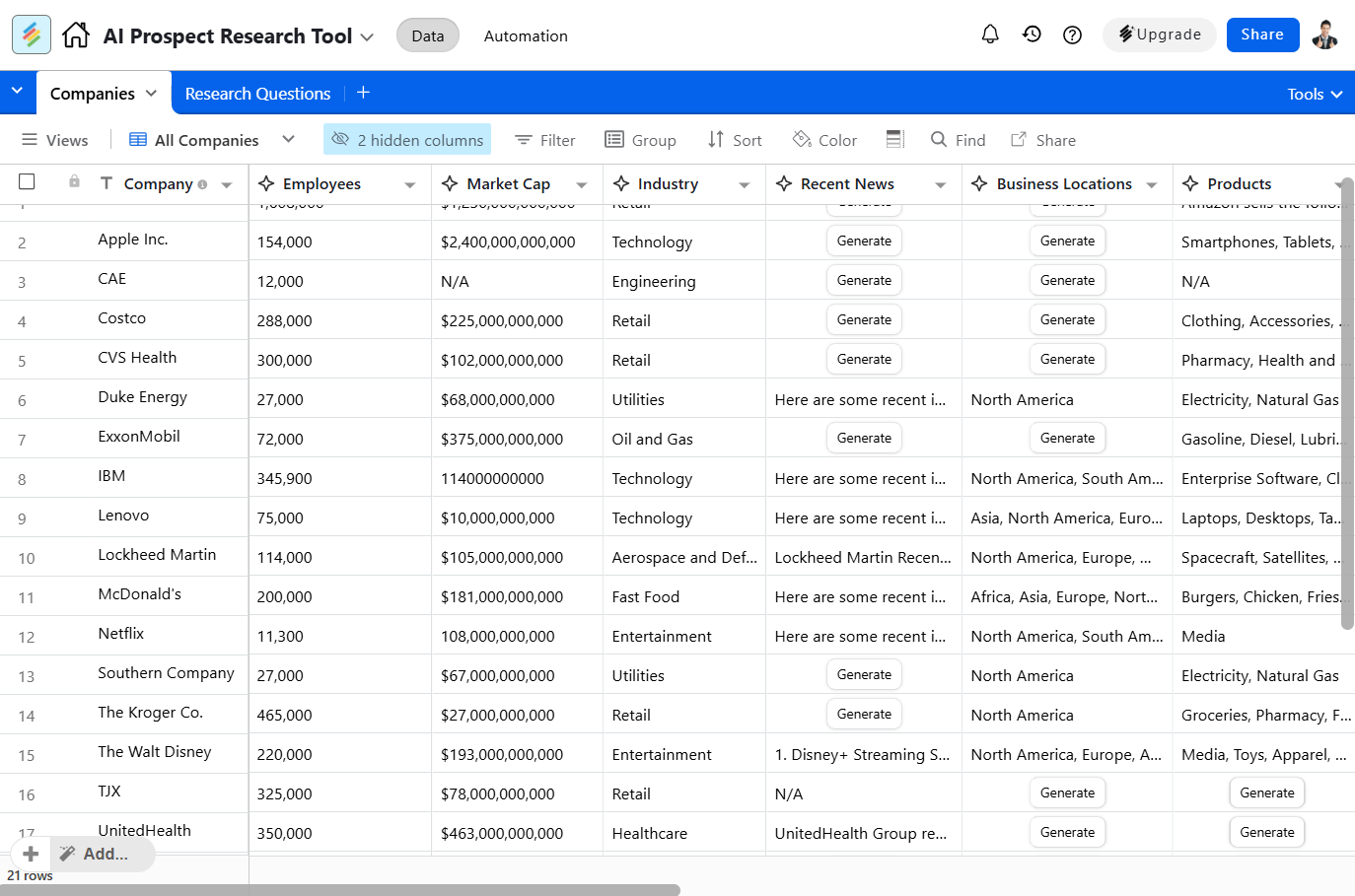
- Built-in automations with triggers and actions for workflow management
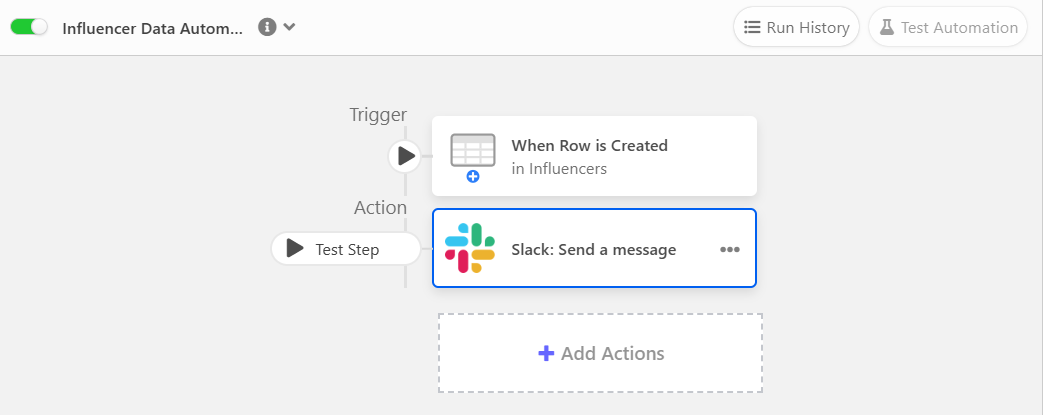
- Updatable forms for collecting and editing data in real time
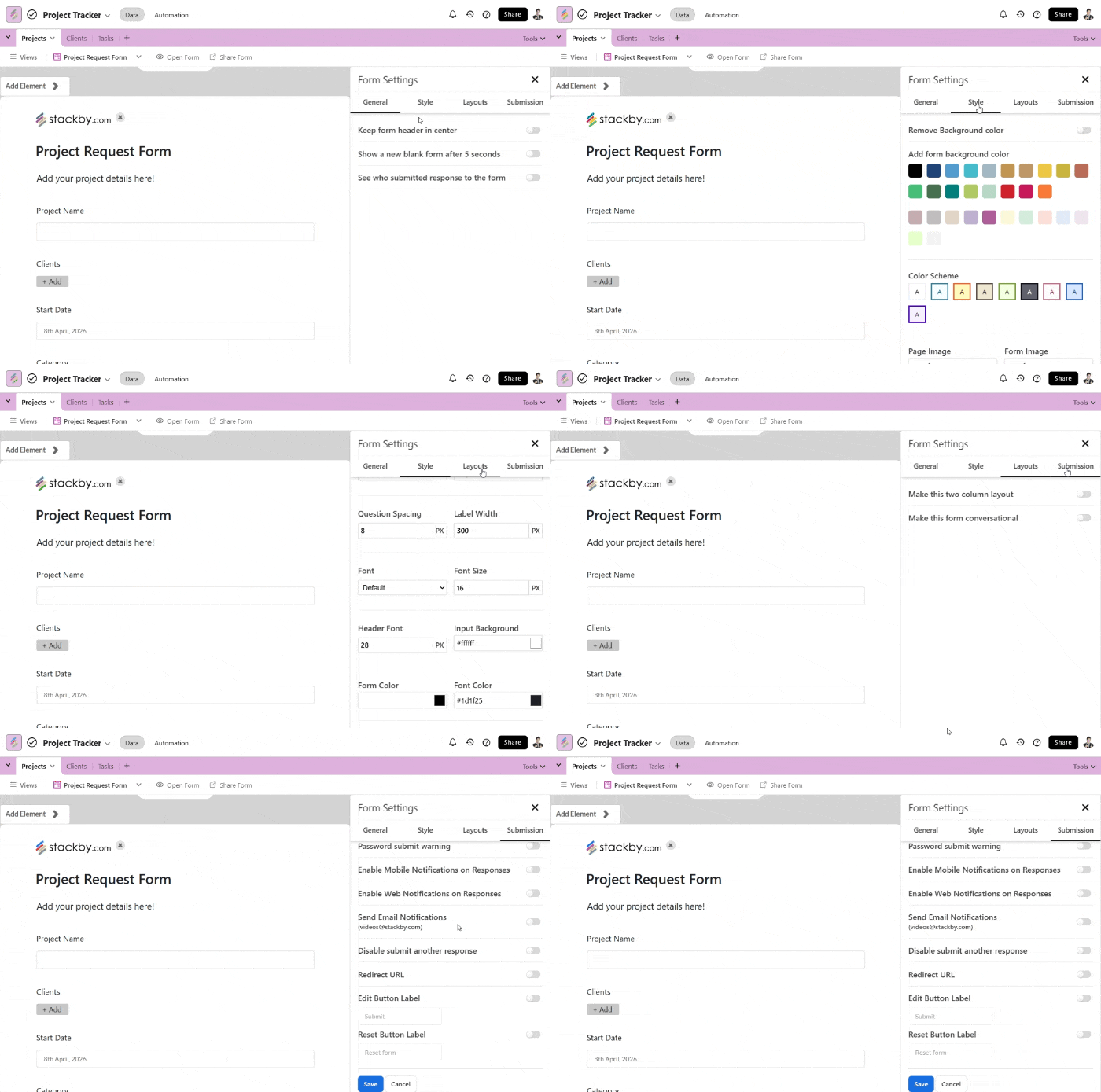
- Apps Marketplace for dashboards, charts, and data visualization
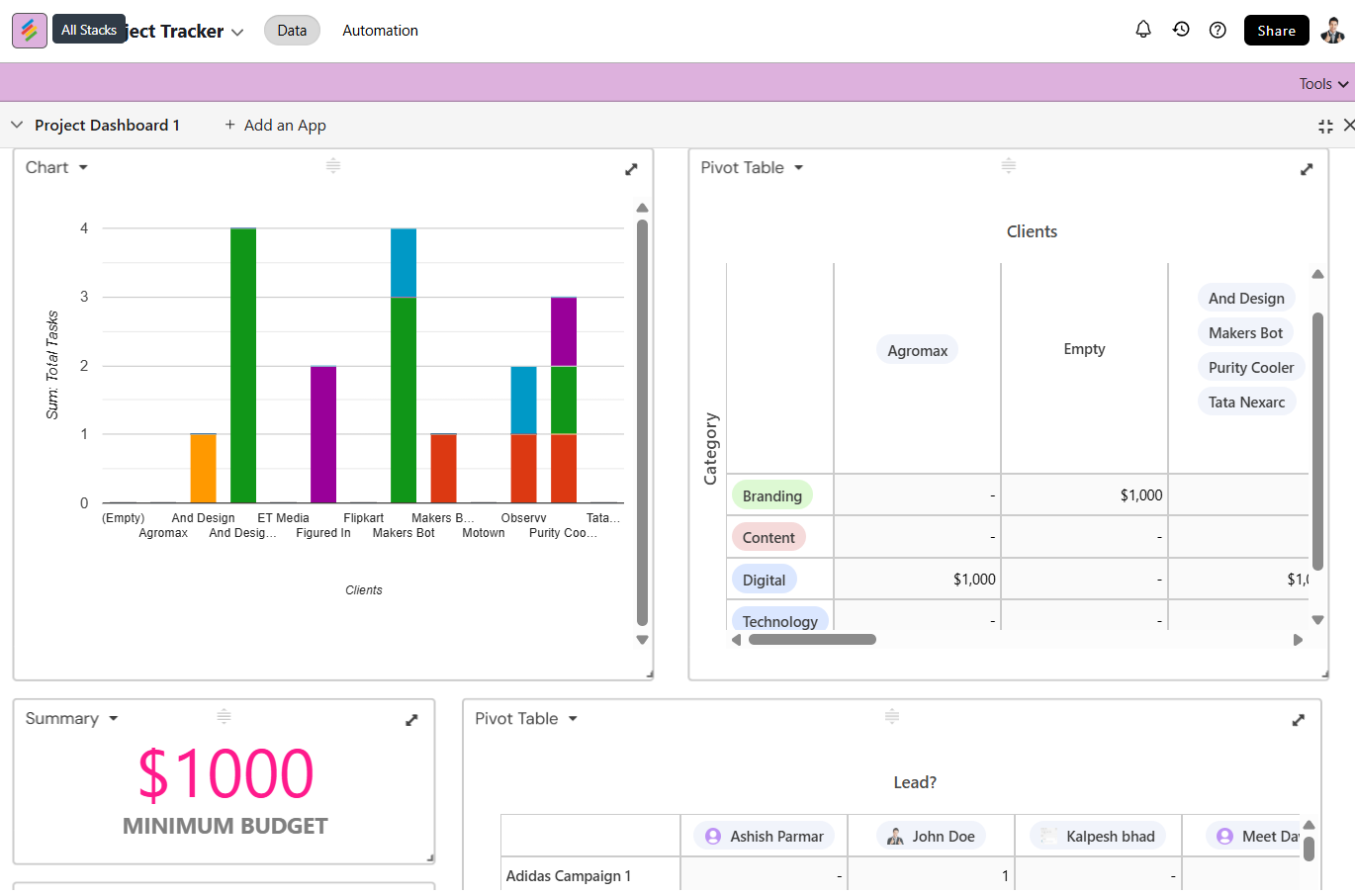
- Power-ups to extend functionality within databases
- Flexible External Access with unlimited read-only guests and shareable links
Stackby's approach to data management is quite practical. It focuses on making it easy to connect different data sources and manage information efficiently, especially for teams that are already comfortable with spreadsheet-like interfaces but need more robust capabilities.
Use Cases for Stackby
Stackby works at the data and workflow layer. It’s where data gets structured, connected, automated, and enriched. Once you combine relational databases, API connectors, automations, and AI Fields, the use cases expand quickly.
Here’s where Stackby goes beyond the basics:
- Marketing dashboards pulling live data from Google Ads, Meta Ads, YouTube, and SEO tools
- Project management with task organization, deadlines, and team progress tracking
- Content pipelines managing ideas, approvals, publishing, and performance
- Influencer or affiliate tracking systems with outreach and ROI tracking
- Programmatic SEO databases managing large-scale content and keywords
- Lead enrichment systems using AI Fields to clean and enhance incoming data
- Custom CRM systems with pipelines, activity tracking, and automation
- Operations dashboards combining multiple tools into one source of truth
- Inventory and supply chain tracking with real-time updates
- Financial trackers for budgets, expenses, and revenue
- Workflow automation systems using built-in triggers and actions
- Client collaboration via shareable views, comments, and updatable forms
- Data pipelines using API columns to pull and refresh external data
- Internal tools like hiring trackers, OKRs, or resource planning
- AI-powered workflows for summarizing, generating, or classifying data
What makes Stackby different is how these use cases connect into one system. Instead of stacking multiple tools, teams can manage data, automation, and reporting in one place, with Apps Marketplace handling dashboards and visualization.
Softr vs. Stackby: A Direct Comparison
When you're looking at no-code tools, the differences between Softr and Stackby can seem subtle at first, but they really matter depending on what you need to do. This softr stackby comparison will break down how they stack up.
Ease of Use and Learning Curve
Softr is easier to get started with if the goal is to build user-facing apps. The flow is simple: connect a data source, design the interface, and control access. It’s quick to set up and works well for teams that care more about presentation than backend structure.
Stackby, on the other hand, leans more towards being a powerful database and workflow tool. It focuses on how data is structured, connected, and used across workflows. The interface feels familiar if you’ve used spreadsheets, but the depth comes from features like relational data, automations, and integrations. There’s a bit more to explore upfront, but it pays off as workflows grow.
Features and Functionality
Here’s a quick look at some key feature differences:
- External User Access: Softr excels with unlimited guest access and structured login experiences. Stackby offers the same in its economy plan for unlimited external collaborators.
- App Building: Softr is built for creating user-facing applications. Stackby is more focused on data management and internal workflows.
- AI Model Choice: Softr allows you to select your AI model, offering more flexibility. Stackby's AI features are more integrated into its platform.
- Workflow Automation: Softr's workflows connect broadly across your tech stack. Stackby's automations are more focused within its environment.
- Data Handling & Relationships: Softr relies on the structure of the connected data source. Stackby supports deeper relational data modeling with linked records, lookups, and dependencies across tables.
- Views & Visualization: Softr focuses on front-end layouts and page design. Stackby offers multiple data views (Grid, Kanban, Calendar, Gallery, Timeline, List) along with dashboards via Apps Marketplace.
- Customization Depth: Softr emphasizes ease of setup with limited backend customization. Stackby allows deeper customization through column types, row level features, power-ups, filters, sorting, and workflow configurations.
Pricing and Value
Softr follows a feature-based pricing model (not per user):
Free – Limited apps and basic features
Basic – $49/month
Professional – $139/month
Business – $269/month
Enterprise – Custom pricing
You pay based on how many apps, features, and users your application needs. This works well when you have many external users but fewer builders/admins.
Stackby follows a per-user pricing model with clear tiers:
Free – Limited records and features
Economy – $5/user/month
Business – $9/user/month
Pro – $18/user/month
Enterprise – Custom pricing
Each tier expands on records, automations (triggers & actions), API usage, and advanced features like AI fields, integrations, and permissions.
In practical terms:
Softr → Better if pricing needs to scale around apps and external users
Stackby → Better if pricing needs to scale around team usage and data-heavy workflows, especially if you're looking for an alternative to tools like Airtable.
Conclusion: Making the Right Choice for Your Team
So, you've looked at Softr and Stackby, and now it's time to figure out which one actually fits your team's needs. It's not always a clear-cut decision, right? Both tools are pretty good at what they do, but they shine in different areas. And the difference comes down to how your team works with data.
Here’s a quick way to think about it:
- Choose Softr if: You need to build front-end applications (portals, dashboards) quickly using existing data.
- Choose Stackby if: You need a powerful, structured database with automation capabilities for managing complex data sets.
- Consider both if: You have complex data needs and want to build custom interfaces on top of it. You might even use them together, with Stackby as your data backend and Softr as your interface builder. But Stackby is also launching their interface builder soon.
There isn’t a one-size-fits-all answer. Don't be afraid to test out the free versions of both platforms. Build a small, real project to see which one feels more natural and productive for your specific workflow. That hands-on experience is usually the best way to make the final call.
Ready to find the perfect fit? Sign up on Stackby today to see how we can help your team succeed!
Key Takeaways
- Softr is great for building external-facing apps like client portals and internal tools.
- Stackby is a spreadsheet-style database platform, strong for marketing, project management, sales, and operations.
- Softr focuses on front-end app building, while Stackby focuses on structured data + workflows (with app-building evolving).
- Softr’s pricing is feature-based, while Stackby follows a per-user model.
- Stackby offers a more integrated system for managing, automating, and working with data at scale.
Frequently Asked Questions
Q1. What's the main difference between Softr and Stackby?
Stackby is like a super-powered spreadsheet that helps you organize large amounts of information. Softr can do that too, though not with the same level of advanced functionality, but mainly it also lets you build apps and websites on top of your data.
Q2. Which tool is easier to start with?
Both tools are designed to be user-friendly. Stackby feels very familiar if you're used to spreadsheets. Softr is also quite simple to pick up and it lets you build apps quickly once your data is set up.
Q3. What about pricing? Which one is cheaper?
Stackby often has lower prices, especially if you have a lot of team members. Softr has a different pricing style; you pay for features, not just for each person using it, which can be more predictable and sometimes cheaper if you have many users.
Q4. Which tool is better for automating tasks?
Both Softr and Stackby offer ways to automate tasks. Softr's automation features are designed to connect with many different apps you might use, and they are unlimited. Stackby’s automations are more deeply integrated into the platform, with built-in triggers and actions, while also supporting external automation through integrations when needed.
![13 Best Business Management Software for your Work [2026]](/blog/content/images/size/w960/2024/03/stackby-business-blog-image-1.jpg)
![Google Sheets Vs Excel: Which is better for you? [2026]](/blog/content/images/size/w960/2023/05/Google-sheets-vs-Excel.png)