Best No-Code Databases Apps in 2026: Your Data, Simplified
Discover the best no-code databases apps in 2026. Simplify your data management + app building with top tools like Stackby, Airtable, and more. Find your perfect fit!
Handling your data is about to take a massive leap forward. This year, people and organizations will need to move from simple spreadsheets to no-code databases to manage their data and information. In addition to supporting numerous users with powerful features such as integration, AI and automation, no-code databases includes sophisticated interfaces for visualizing and reporting on data. It’s essential that small businesses and larger organizations, as well as employees and teams with data-focused workloads, become familiar with these powerful, intuitive platforms.
What is a No-Code Database Software?
Remember spending hours hunched over a spreadsheet trying to get it to do something it was never intended to do? Or gazing longingly at custom software that is beyond your comprehension? Well, there's a middle ground now, and it's called no-code database software. These platforms allow users to build a robust data management system in minutes without any coding. They empower individuals and teams to create bespoke applications for handling information, offering a powerful yet accessible alternative to complex coding languages.
This paradigm shift is making advanced data management capabilities available to a much broader audience, driving widespread adoption across industries who are seeking to streamline their operations.
Key Features of No-Code Databases
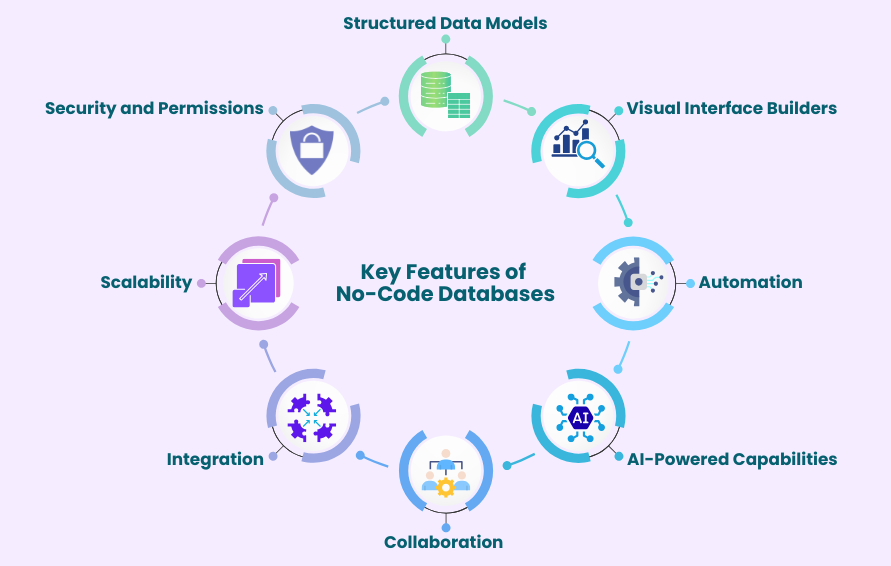
No-code databases come with a full suite of features that enable dealing with data in an organized, structured and efficient manner:
- Structured Data Models: Unlike the often-unwieldy nature of spreadsheets, no-code databases employ defined tables and relationships. This allows for the kinds of sophisticated connections and relationships as needed, such as linking customer records to their orders and support history, without requiring specialized database administration skills.
- Visual Interface Builders: Users can design custom interfaces for interaction with data, including forms for data entry, dashboards for real-time metric visualization, and tailored views for different user roles, all done through intuitive drag-and-drop functionality.
- Automation: Most platforms offer built-in tools to schedule and automate repetitive tasks, such as sending notifications for new entries or triggering workflows based on data changes.
- AI-Powered Capabilities: Modern no-code databases are increasingly incorporating AI features to simplify data creation and management. Users can generate table structures from prompts, enrich or summarize data, and build workflows with the help of AI assistants.
- Collaboration Features: Team members can work together on the same data in real-time. Multiple people can update records, add new information, and view changes instantly.
- Integration Options: These platforms often connect with other apps you already use (e.g., CRM, marketing automation, accounting software) and form a connected ecosystem. For example, integrating with online form builders ensures data flows directly into your database.
- Scalability: These systems are engineered to handle growing data volumes efficiently, outperforming traditional spreadsheets which can suffer from performance degradation with large datasets.
- Security and Permissions: Granular control over user access ensures data integrity and confidentiality by allowing administrators to define specific roles and permissions, restricting data visibility based on user responsibilities. Also, install a VPN to add an extra layer of encrypted protection when accessing sensitive data.
The inherent flexibility of no-code databases allows users to build precisely what they need, when they need it. This adaptability is crucial for small businesses and individuals aiming to maintain organization and operational efficiency in dynamic environments.
Why Use No-Code Database Apps?
No-code databases provide a structured yet powerful alternative to the often-cumbersome nature of spreadsheet management, especially for data-intensive business requirements. They streamline data management within an intuitive and organized environment, without the steep learning curve associated with traditional programming.
Benefits for Businesses and Individuals
Consider this: you can create custom solutions that actually match your workflow. No more trying to mold your workflow to fit some pre-defined software. No-code database apps allows you to create databases with relationships between different pieces of data. This is a huge improvement over spreadsheets. No more data redundancy and a single source of truth for everyone involved.
No-code database software can also help you create your own custom applications. For example, a simple CRM system or a project management system that is less complex. They bridge the gap between simple spreadsheets and full-scale business software, by making powerful data management accessible to more people.
For those who need more advanced features, there is a balance to be found in low-code database solutions. They offer visual development tools in combination with the option for custom code integration which is ideal for evolving project requirements.
The real magic is in the flexibility. You can create exactly what you need, when you need it. No more rigid fields or workflows. No more waiting for some developer to create a solution for you. The flexibility of these solutions is a major benefit for small businesses and individuals looking for a way to stay organized.
How We Evaluate No-Code Database Apps
When we're evaluating these no-code database tools, we're not just checking boxes; we're trying to determine what actually works for people who are trying to get things done. We're focusing on ease of use and functionality that actually empowers people.
First and foremost, ease of use is huge. We're looking at how easy the platform is to use for people who are non-technical, and that means an intuitive visual database builder that is natural and easy to use, rather than overwhelming. This includes how simple it is to set up relationships between different pieces of data and manage your information on a day-to-day basis. We're looking for easy database management tools that requires minimal training or documentation.
Another important factor is flexibility, and that means that the platform actually lets people model their own business processes, rather than forcing people into predefined structure. This includes the ability to work with different field types, complex data relationships, and different customizable views for different people, and that's really the essence of an app builder without the need for coding.
Finally, we're also focusing on the ability to actually analyze and visualize the data. We value tools that offer integrated dashboard creation and reporting features, as they enable users to get actionable insights from their data.
Ultimately, we seek tools that actually democratize database creation and management, and that means making powerful database tools accessible to everyone.
Top No-Code Databases to Consider in 2026
Here are some leading no-code databases to consider in 2026:
Stackby: The Versatile & Cost Effective All-Rounder
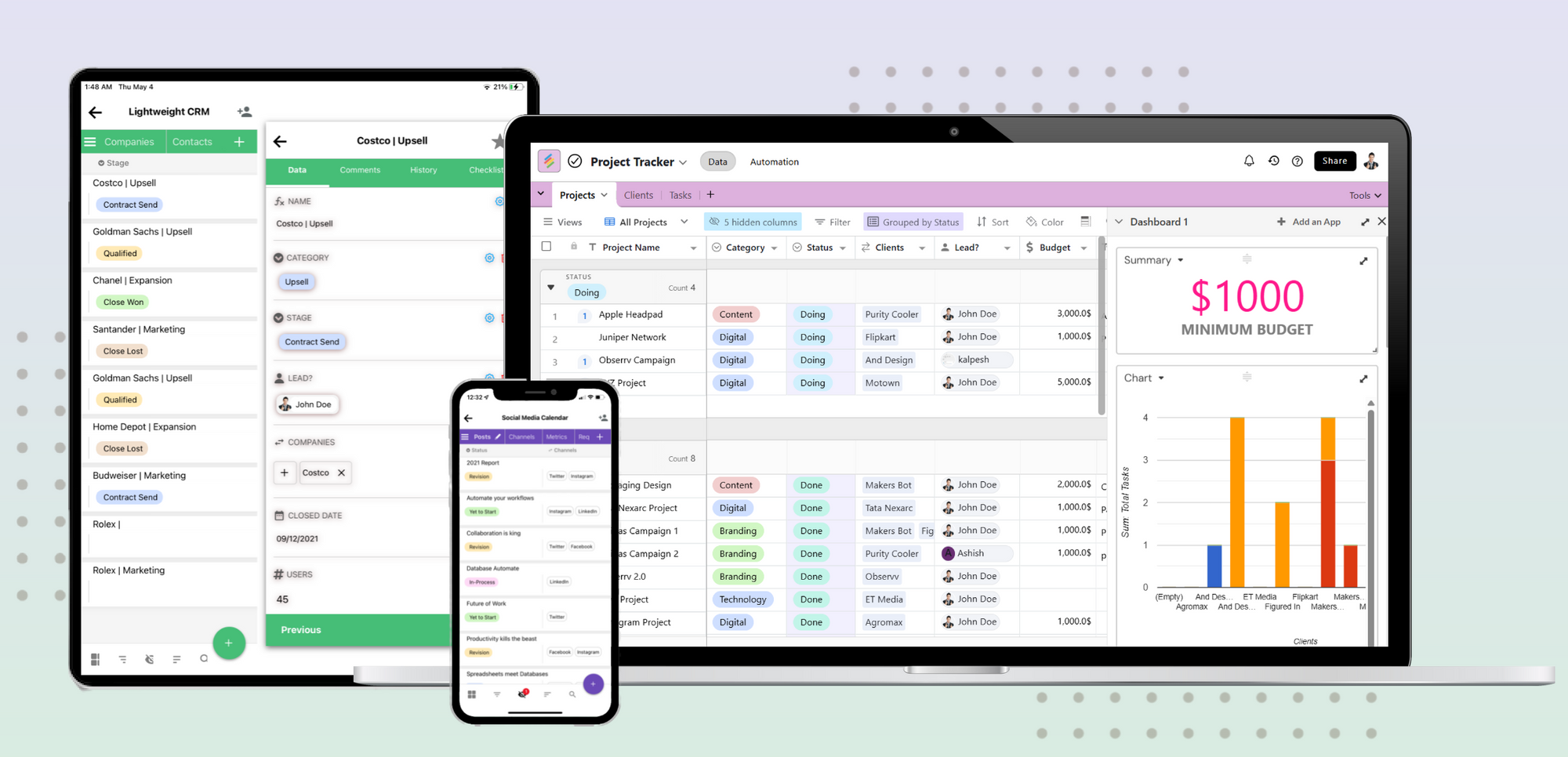
Stackby is a platform that promises a unique mix of spreadsheet and database functionality, making it extremely easy to use for users transitioning from Excel or Google Sheets. The platform enables users to manage structured data, build relationships between datasets, and automate workflows without needing technical expertise, which makes it a practical choice for teams and individuals alike.
Stackby is designed to transcend traditional data management capabilities and deliver a high level of flexibility with its functionality. The AI capabilities, multiple views, and integrations allow users to build, manage, and scale workflows that feels both natural and efficient.
Key capabilities include:
- Supports structured data with relationships between tables for better organization.
- Uses AI co-builder and AI fields for data creation, enrichment, and workflow automation.
- Internal automation capabilities through triggers and actions for repetitive tasks.
- Provides multiple views such as grid, Kanban, calendar, timeline, gallery, and list.
- Enables data capture through custom updatable forms.
- Offers dashboards via Apps Marketplace along with charts and visualization tools.
- Extends functionality using power-ups and advanced column types.
- Connects with 50+ APIs and integrations across thousands of applications.
- Comes with 1000+ pre-built templates to get started quickly.
- Supports real-time collaboration with features such as comments, activity tracking, and access sharing.
- Scales efficiently to meet growing business and workflow demands.
Stackby promises to deliver a unified experience for users to manage data, automation, and integrations, making it a cost-effective and comprehensive free airtable alternative for streamlining business workflows and efficiently managing business data.
Airtable: The Enterprise Focused One
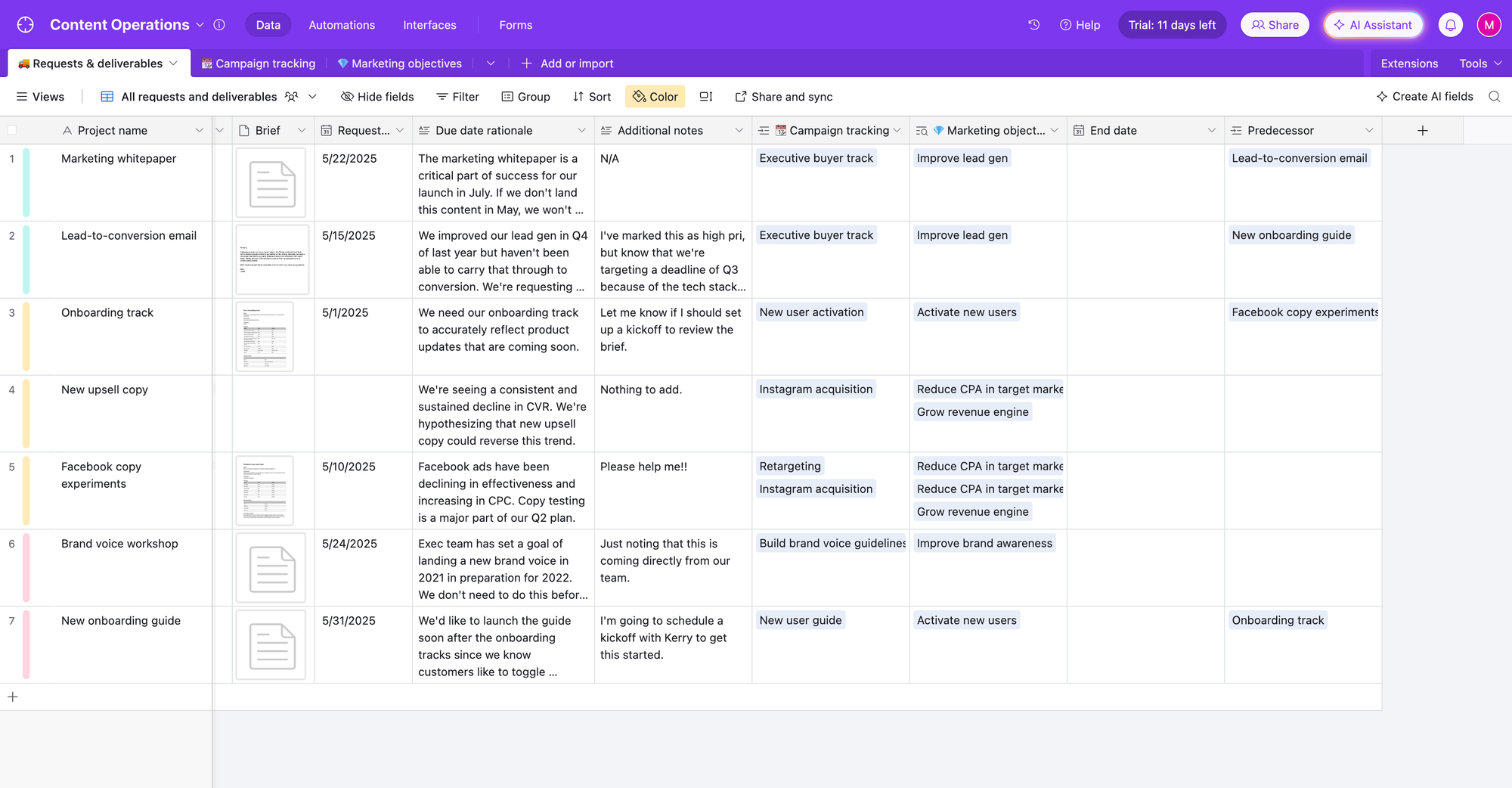
Airtable is a well-established player in the market, and its flexibility in terms of data modeling and its ability to integrate with other tools make it a great choice for large organizations. Airtable can be considered a powerful spreadsheet with features to handle complex data interdependencies. Its recent enhancements include AI agents and document extraction capabilities that can be used for data augmentation.
Although its costs can add up if used extensively, Airtable, with its focus on enterprise features and powerful schema management, is a great choice for organizations looking for a powerful and polished experience.
Retool: Low Code Database for Engineers
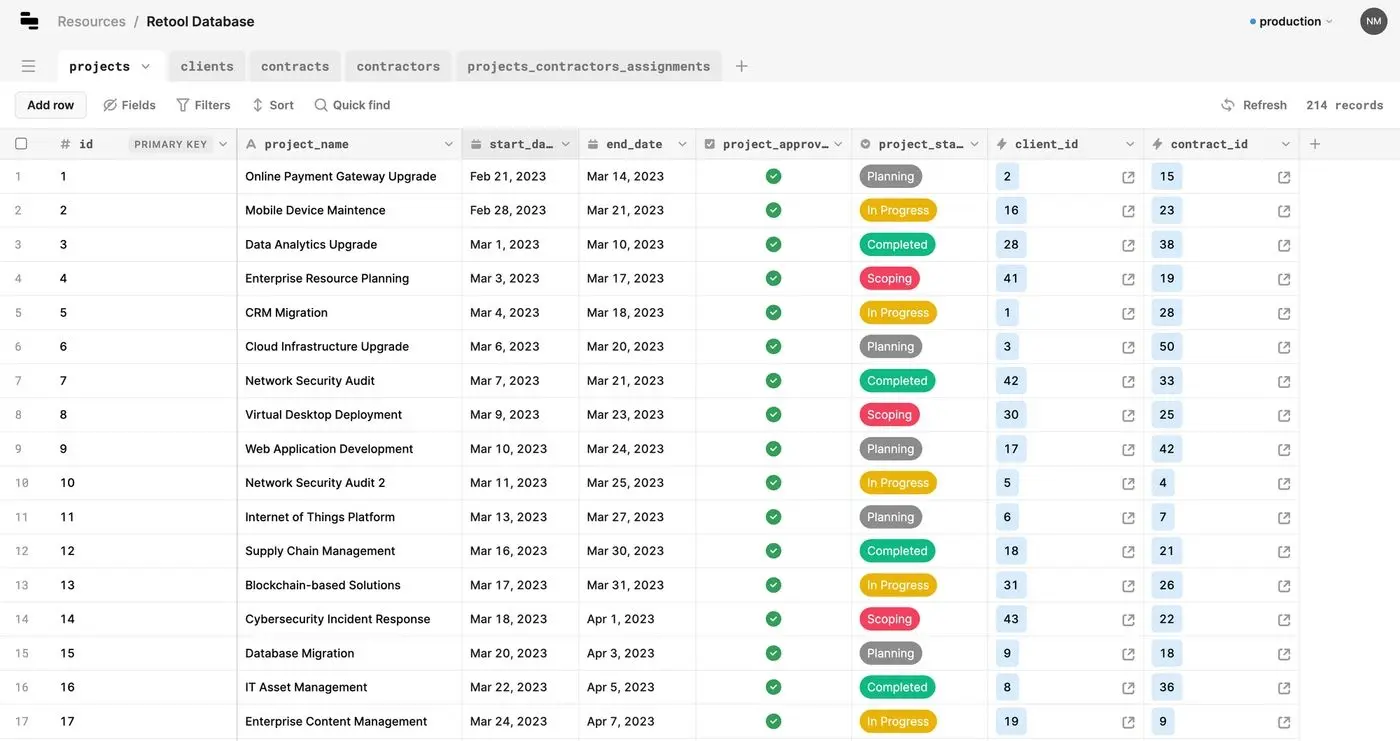
Retool, a low-code database, caters primarily to developers and those with proficient technical knowledge. a powerful choice for developing internal tools quickly by integrating with virtually any database or API and building custom user interfaces.
With its powerful features and flexibility, Retool can be a great choice for engineering teams or IT departments looking to build bespoke internal applications, although its steeper learning curve might not be ideal for those new to database concepts.
AppSheet: Spreadsheet Data Sources
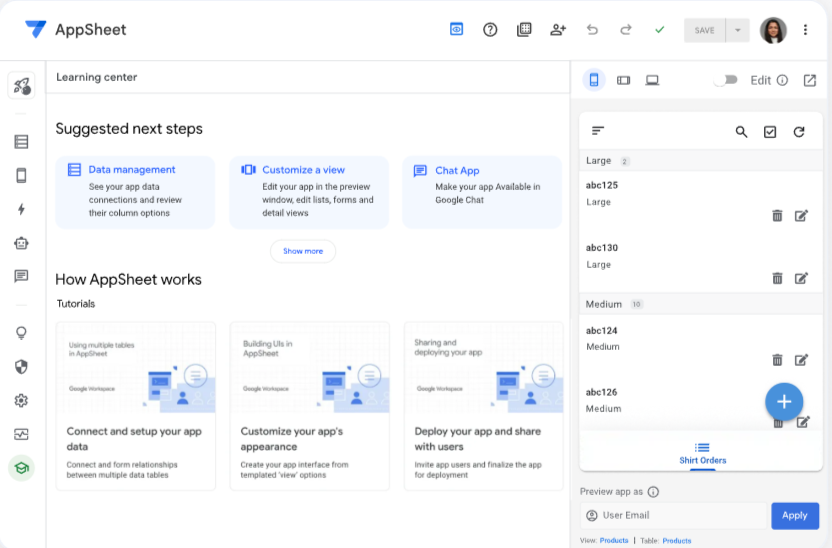
Google's AppSheet is particularly adept at transforming existing data, usually in the form of a spreadsheet, into functional applications without any coding. The application is efficient in creating forms, implementing workflows, and creating custom views, and is helpful in developing applications using data that is already available in the form of a spreadsheets. It's a good tool to enhance the utility of existing data with minimal technical overhead.
Xano: Building a No-Code Backend
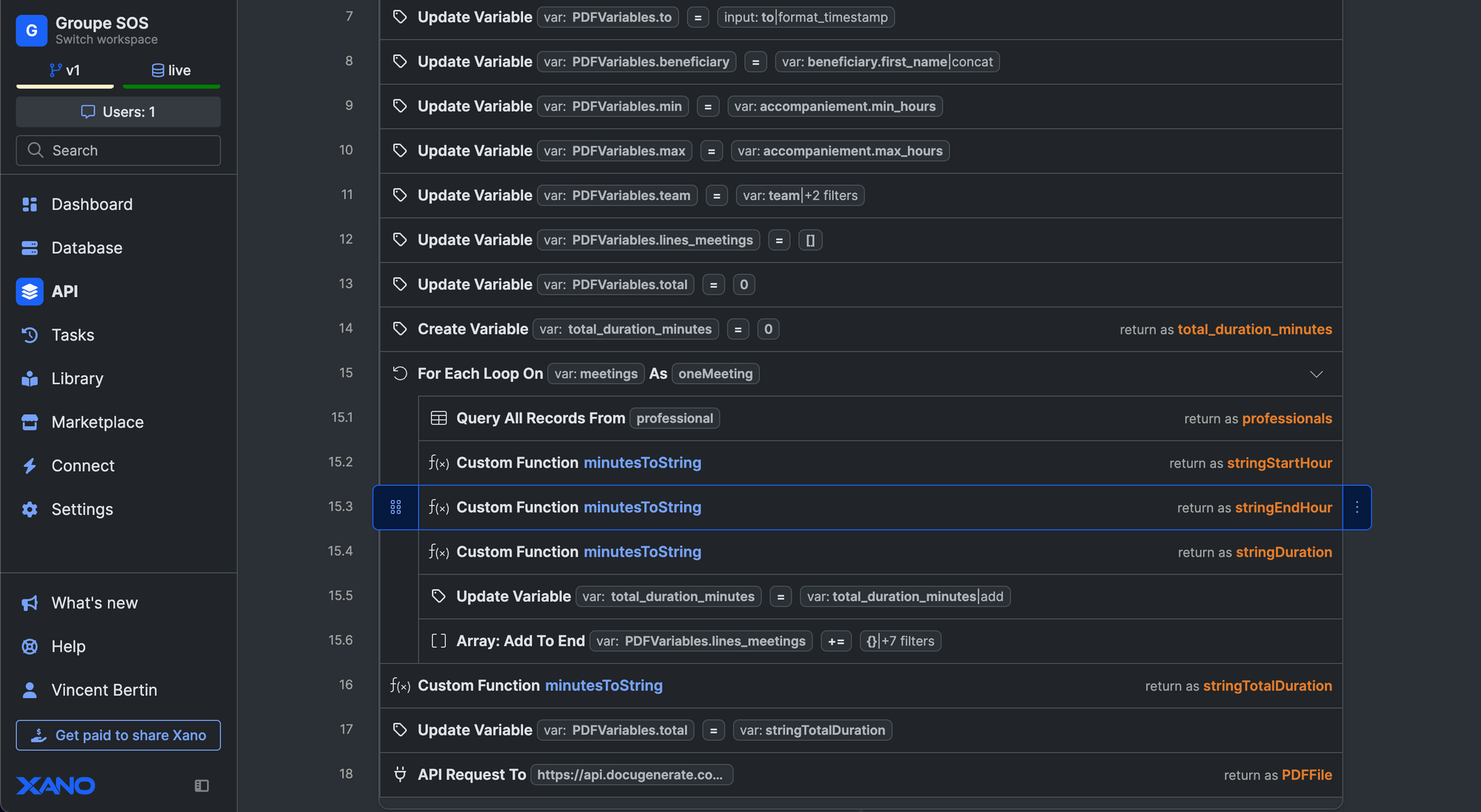
Xano provides a robust no-code backend solution. It integrates database management, API creation, and business logic implementation into a single platform. It is build for users who are looking to develop the foundational engine for custom web or mobile applications without the need of traditional backend development. Xano's focuses on scalability and complex logic, which makes it suitable for ambitious projects requiring a powerful and adaptable backend infrastructure.
Coda: Document Meets Database
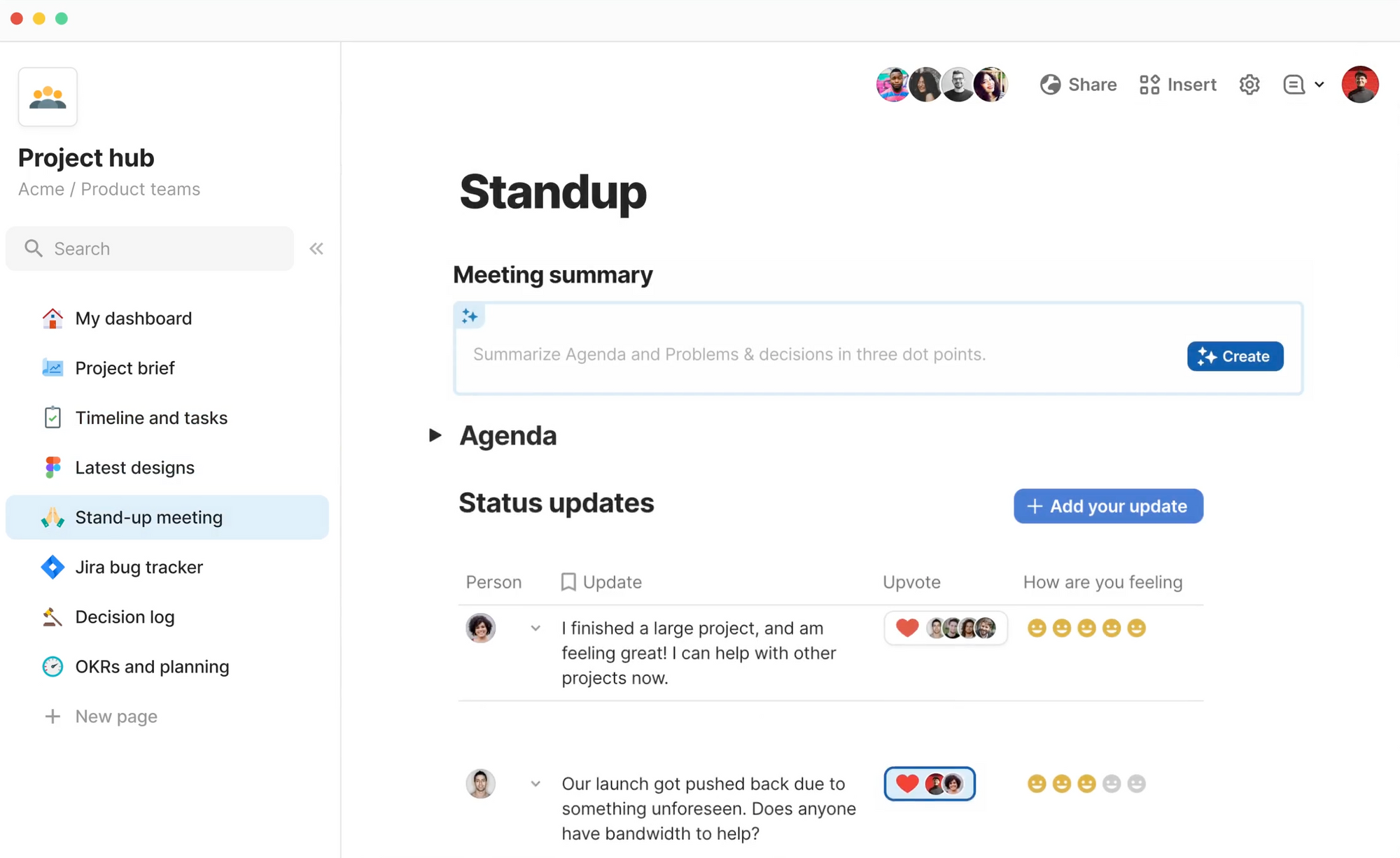
Coda is an innovative application that combines document creation with database functionality, which enable users to integrate notes, project plans, and structured data in a unified workspace. The application's interconnected approach is highly beneficial for creating custom views and workflows that align with team-specific processes, offering a efficient alternative to siloed data storage.
Notion: Productivity Focused Workspace
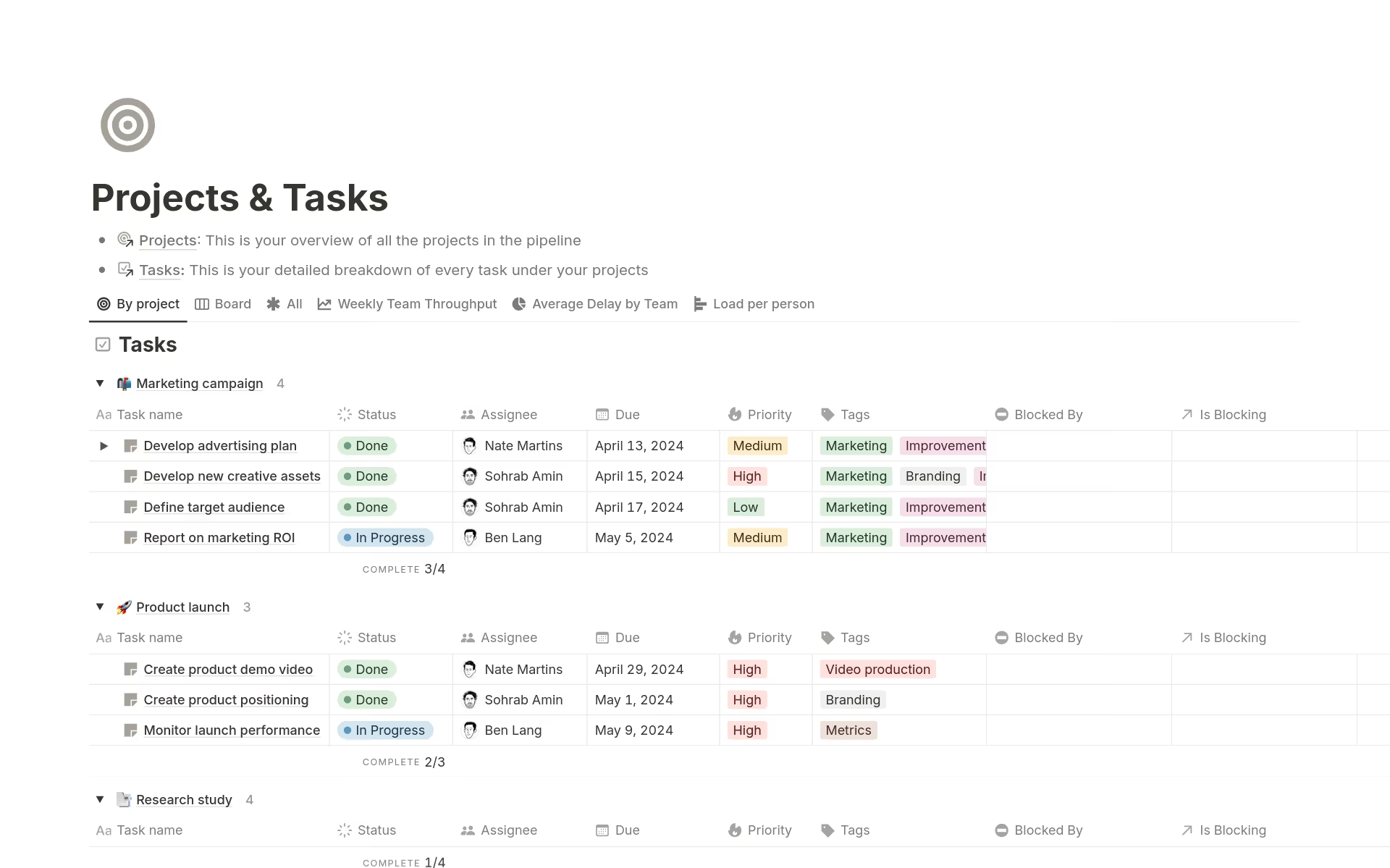
Notion has grown to become a comprehensive all-in-one workspace with enhanced database functionality. It is a highly effective tool for personal productivity and for small teams that are looking to efficiently manage projects notes, and data cohesively. Notion enables the creation of inline databases within documents, table linking, provides AI-driven support with content generation and autofill capabilities. Although it may not match the depth of relational functionality available in dedicated database applications, its integration with the overall productivity ecosystem makes it extremely easy to use and a highly viable option for those who are already using the platform for other organizational tasks. It serves as an excellent starting point for centralizing data within a familiar environment.
In the current landscape of no-code app builders in 2026, various options are available to suit different needs and requirements. Stackby, for example, offers a robust mix of functionality and affordability with its integrations capabilities, which makes it a prime choice for businesses looking to improve data management and team collaboration.
Feature Comparison Table for No-code Databases and Apps
Tool Name | Key Features | Best For | Pricing Model |
Stackby | Hybrid spreadsheet-database, AI features, 50+ API connectors, templates, automation. | Versatile, cost-effective all-rounder for teams needing flexibility and integration. | Freemium, tiered paid plans. |
Airtable | Flexible data modeling, robust features, AI agents, document extraction, enterprise focus. | Larger teams and businesses needing advanced schema management and polish. | Freemium, tiered paid plans, enterprise options. |
Retool | Low-code platform, connects to any database/API, custom interface building. | Developers and IT departments needing to build internal tools quickly. | Free for individuals, tiered paid plans for teams. |
AppSheet | Turns spreadsheets into apps, form creation, workflows, custom views. | Users with existing spreadsheet data needing to create functional apps. | Freemium, tiered paid plans. |
Xano | No-code backend builder, database, API, business logic. | Ambitious projects requiring a scalable, custom backend without traditional development. | Freemium, tiered paid plans. |
Coda | Document-database hybrid, unified workspace, custom workflows. | Teams wanting a connected workspace for documents, projects, and data. | Freemium, tiered paid plans. |
Notion | All-in-one workspace, inline databases, AI features, project management. | Personal use and smaller teams needing an integrated productivity system. | Freemium, tiered paid plans. |
How to Choose the Right No-Code Database
There’s no single “best” tool, it really comes down to your use case and how you plan to work with your data.
So start with these questions:
- What problem are you trying to solve?
- How complex is your data?
- How many people will be using it?
- Do you need automation and integrations features?
- What are your security and compliance requirements?
If you’re working solo, simplicity might matter most. For teams, permissions and collaboration become critical. Also consider how your data connects. If you need relationships between datasets, a relational database structure is essential.
Its also worth testing the tool in a real scenario before committing to it. Try building a mini-version of your workflow, see how it feels, and evaluate if it simplifies your process or not. The right tool should feel natural to use, not like something you have to constantly work around.
The Future of No-Code Databases
The future of no-code databases is rapidly changing, and the pace is being driven by the advancements in AI and the need for integrated, intelligent data solutions.
We’re already seeing tools that can:
- Generate database structures from simple prompts
- Fix errors and organize data automatically
- Create reports without manual queries
- Build workflows using AI suggestions
- Connect with other tools more intelligently
Platforms like Stackby are pushing this further with AI co-builders and AI-powered automation, making it possible to go from idea to a working system in minutes.
In 2026, it's predicted that AI-assisted development platforms will be used for a huge chunk of new enterprise apps. AI is already playing a central role in how databases are built and used, by handling everything from schema design to data organization and reporting. Thus, the gap between idea and execution is rapidly diminishing.At the same time, these platforms are becoming more connected. Data will no longer sit in silos, it will move seamlessly across tools, workflows, and teams.
At the same time, the platforms are becoming more integrated, and the data is no longer going to be locked away in separate silos but will be moving freely between tools, workflows, and teams.
Wrapping It Up
Spreadsheets still have their place, but they’re no longer enough for modern workflows. The no-code database tools, especially the ones with smart AI features are changing the game.
Platforms like Stackby, often considered as an open source airtable alternative for modern teams, are redefining data management by enabling the creation of custom applications, improving internal and external collaboration, and accelerating operational efficiency, all without requiring coding expertise.
At the end of the day, it's all about making data easier to work with. Exploring these solutions can lead to significant improvements in how data is managed and utilized.
Frequently Asked Questions
What exactly is a no-code database?
A no-code database is a software platform that enables users to store, organize, and manage data without the need to write code. It provides structured data storage, connections between data objects, and custom views, allowing users without any technical expertise to efficiently manage information.
Why would I use a no-code database instead of a spreadsheet?
The simple answer: A no-code database offers superior features that a spreadsheet does not like structure, scalability, and data integrity. Spreadsheets are prone to errors and disorganization as data volume and complexity increase whereas no-code database enable better data relationships, collaboration, and automation, providing a more robust solution for business needs.
Can anyone use these no-code database tools?
Absolutely! Most No-code database tools are developed for users without programming experience. With easy to use visual interfaces, these tools enable business users, students and teams to manage data effectively without having to first learn to code.
What kind of information can I manage with a no-code database?
You can manage a wide array of information like customer data, project details, inventory, event schedules, employee records, personal collections, and more. Any data that benefits from structured organization and interlinking can be effectively managed in a no-code database.
Are these databases secure?
Reputable no-code database platforms prioritize security through features like user permissions, data encryption, and secure hosting. Users can also implement access controls to protect sensitive information, ensuring data integrity and confidentiality.
Will I get locked into one platform if I start using a no-code database?
While platform lock-in is a consideration, many no-code databases offer data export options, allowing users to migrate their data if needed. It is advisable to choose platforms that provide clear data export functionalities to maintain flexibility.
![13 Best Business Management Software for your Work [2026]](/blog/content/images/size/w960/2024/03/stackby-business-blog-image-1.jpg)
![10 Best Free Database Templates for Marketing Agencies in [2026]](/blog/content/images/size/w960/2024/03/stackby-Database-templates-for-marketing-agencies-1-blog-post-2.jpg)